Smart digital products. Reimagined.

Ideas that work like software.

Interactive HTML tools and AI-powered workflows designed to be used—not filed away.

INTERACTIVE PRODUCT
AI WORKSPACE

From input to action.

One clear control panel for the full workflow.

OUTPUT SIGNAL
FLOW STATUS

One brand. Distinct product worlds.

Every product gets its own name, visual language, and focused outcome—while the kawnium experience stays unmistakably clear.

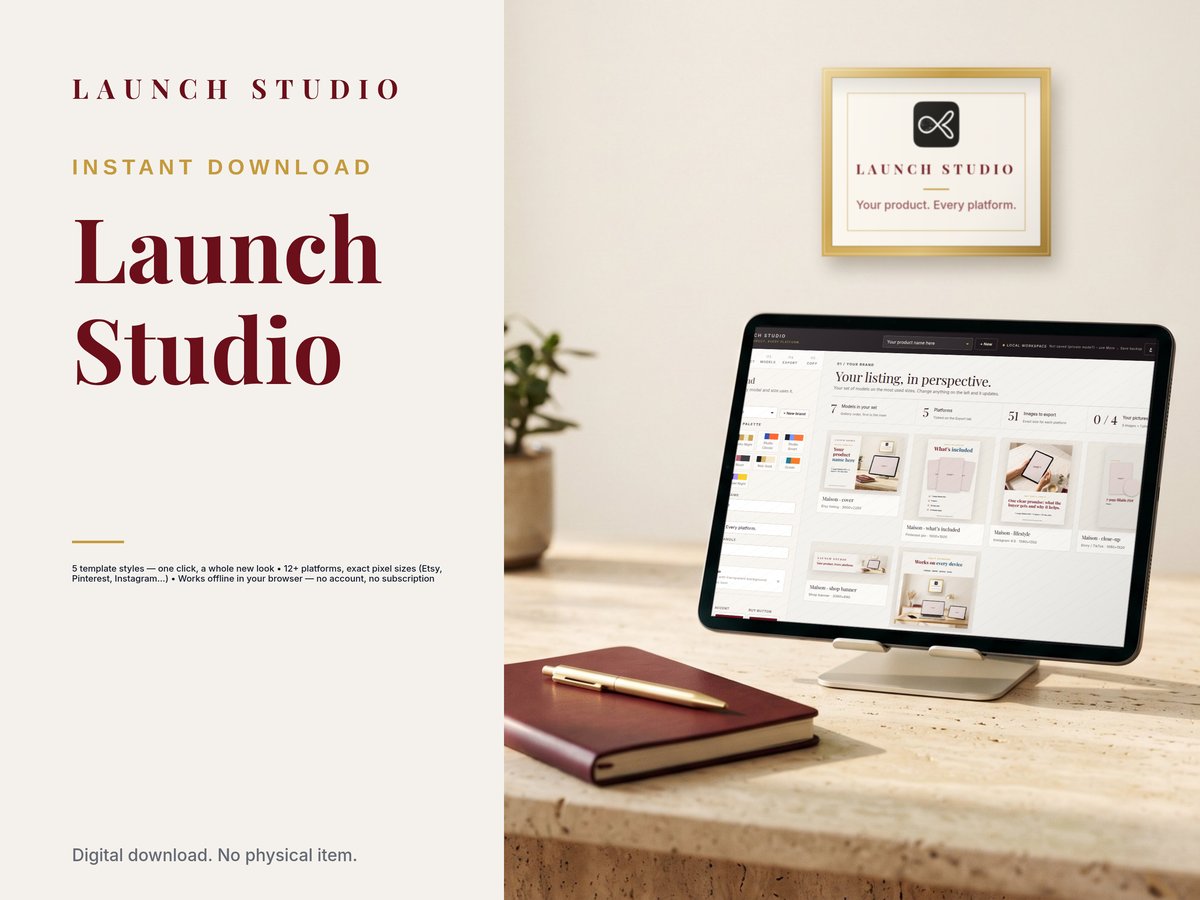
Launch Studio

Your product. Every platform.

Listing-image studio for digital products · $27 one-time · Works offline

Launch Studio — listing image maker for digital products with 5 template styles

Smart Playbook

Expert knowledge, ready to use.

Knowledge concept · Product name pending

Prompt libraryLaunch strategy12Content systems18Automation09
Guided sessionGoal selected✓Inputs complete3/4Generate plan→

Content Command Center

Plan clearly. Publish consistently.

Content concept · Product name pending

A digital product should feel alive.

Not a document wrapped in decoration. A responsive system that helps the customer make decisions and move forward.

01

Use it, don’t just read it.

Guided controls turn information into action.

02

See the full system.

Complex workflows become visual and connected.

03

Built around the outcome.

Every interface begins with the job to be done.

04

Made for every screen.

The experience stays clear from desktop to phone.

Product thinking in every detail.

A complete interface system that keeps the next step visible and the value easy to understand.

01

Guided controls

Relevant choices appear when they are useful, so the interface stays calm and the customer stays oriented.

02

Connected workflows

Inputs, decisions, and outputs live in one coherent journey instead of separate files.

03

A control panel, not a pile of pages.

Adjust settings, shape the output, and keep the process visible while the product responds.

OUTPUT DEPTH
68%
GUIDED MODE
AI ASSIST
04

AI where it earns its place

Automation supports the work instead of becoming the story. The result stays useful and controllable.

05

Mobile-first decisions

Compact navigation, readable hierarchy, and thumb-friendly controls preserve the product experience.

From expertise to a product people can use.

A consistent framework gives every launch its own identity without losing the strength of the master brand.

01 / FIND

Define the outcome

Start with the transformation, the user, and the friction blocking them.

02 / SHAPE

Map the system

Turn knowledge and decisions into a clear, logical journey.

03 / BUILD

Design the interface

Create the visual language, controls, and responsive experience.

04 / PROVE

Show it working

Use real screen demonstrations to make the value visible.

Ideas for building smarter.

Practical thinking on interactive products, useful automation, and digital experiences that earn attention.

PRODUCT DESIGN · QUICK NOTE

Why interactive products outperform passive files

How guided decisions, visible progress, and responsive controls turn information into momentum.

Read the article

Passive files ask customers to translate information into action on their own. Interactive products remove that gap by turning the next decision into a visible step.

The strongest experiences reveal progress, preserve context, and let people adjust the output without starting again.

AI AUTOMATION · QUICK NOTE

Automation should simplify the work, not hide it

A clear system keeps the customer in control while AI handles the repeatable steps.

Read the article

Useful automation makes repetitive work quieter while keeping important choices visible. Customers should always understand what the system is doing and where their input matters.

That balance creates speed without sacrificing trust or control.

BRAND SYSTEMS · QUICK NOTE

One master brand, many product worlds

Keep the trust and design standards consistent while giving every product a distinct identity.

Read the article

A master brand concentrates recognition, trust, and quality. Each product can still own a distinct name, accent color, and visual motif shaped by its audience and outcome.

The consistent foundation makes every new launch feel familiar without making the catalog feel repetitive.

Clear by design.

What makes a kawnium product different from a PDF?
A PDF is designed mainly for reading. A kawnium product is designed for doing: navigating, choosing, adjusting, and moving through a guided workflow in a responsive interface.
Will every product look the same?
No. kawnium is the master brand; each product can have its own name, accent, visual motif, and product-specific experience while sharing the same standard of clarity and craft.
Can products include AI automation?
Yes. AI can support prompts, decisions, and repeatable workflows wherever it creates a clearer or faster customer outcome.
How will customers understand the product before buying?
Each product page will lead with a focused screen demonstration, benefit-led copy, interface previews, and a transparent explanation of what the customer receives.

The brand is the promise. Each product is the proof.

Built to be understood in seconds—and useful for much longer.

Explore the concept collection